OpenAI-compatible
Connect any endpoint that speaks the OpenAI API, including hosted providers and self-hosted servers such as vLLM.
Many providers and self-hosted servers expose an API compatible with OpenAI's Chat Completions API. You can connect any of them to Hull as a custom provider: hosted services such as Together AI or Perplexity, self-hosted servers such as vLLM or llama.cpp, and internal gateways.
For the official OpenAI API, use the OpenAI provider instead. For Ollama and LM Studio, see their own pages.
Don't use a generic OpenAI-compatible provider for Azure OpenAI GPT-5 deployments. Azure GPT-5 rejects the max_tokens parameter these providers send. Use Hull's native azure provider, and map your deployment name with the model id field if it differs from the model name.
Add a provider
- Open Settings (gear icon) and go to the Providers tab.
- Scroll to the bottom and click Custom provider.

- Fill in the custom provider dialog:
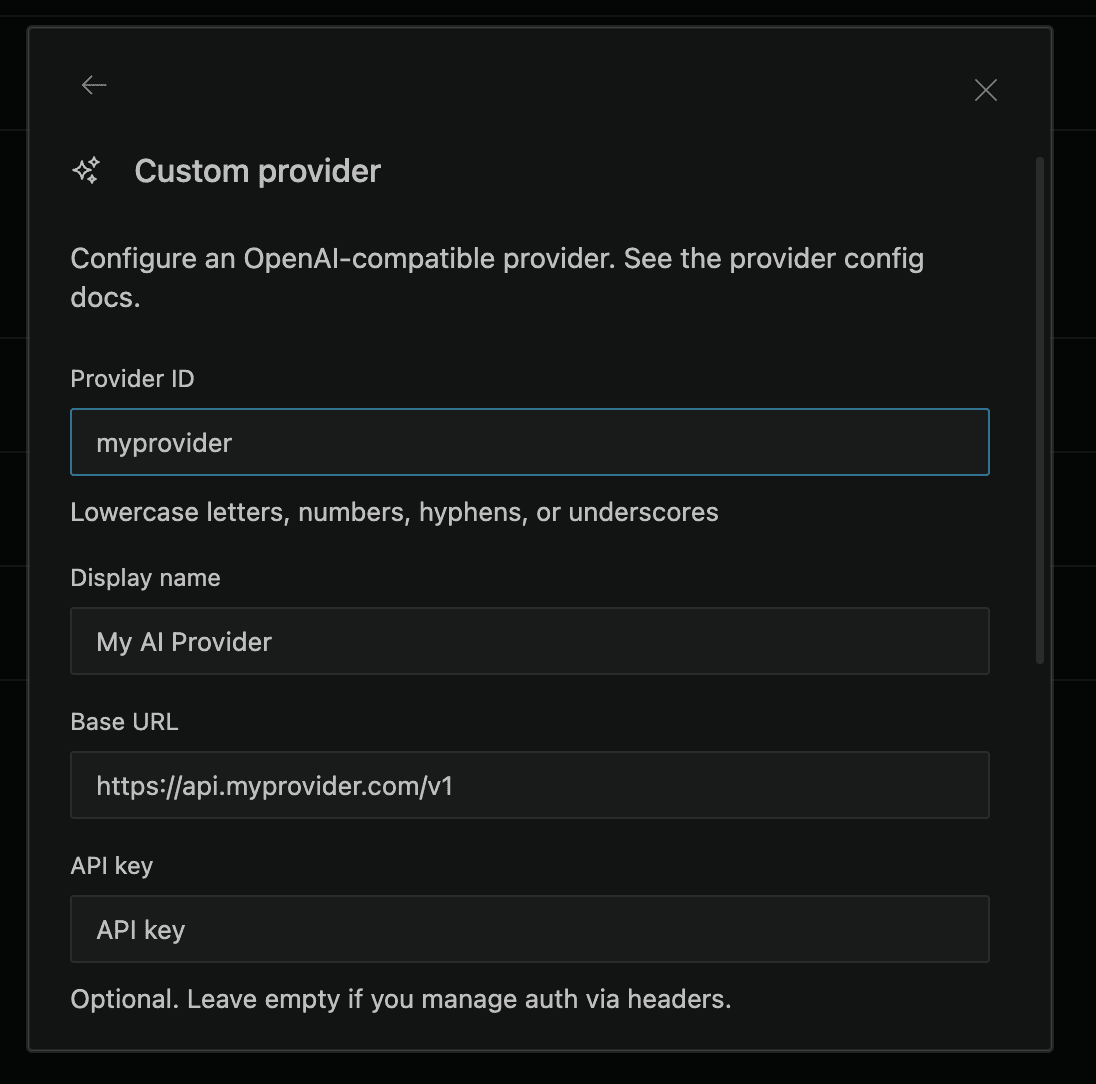
- Provider ID: A unique identifier (e.g.,
my-provider). - Display name: A human-readable name shown in the UI.
- Provider API: Select OpenAI Compatible for an OpenAI Chat Completions-compatible endpoint. Use OpenAI Responses for OpenAI and xAI models. Use Anthropic Messages for Anthropic and MiniMax models.
- Base URL: The provider's API endpoint (e.g.,
https://api.your-provider.com/v1). Hull auto-fetches available models when a valid URL exposes an OpenAI-compatible models endpoint. For Azure OpenAI GPT-5, use the nativeazureprovider instead. - API key: Your API key. Optional, leave empty if authentication is handled via headers.
- Models: Add models manually or select from the auto-fetched list (see Automatic model detection below).
- Headers (optional), Custom HTTP headers as key-value pairs.
- Click Submit to save. The provider's models appear in the model picker.
For additional model configuration (token limits, tool calling, variants), edit the hull.jsonc config file directly, see the CLI tab or the Custom Models guide.
Automatic model detection
When configuring a custom OpenAI-compatible provider, Hull can automatically detect available models from your provider's /v1/models endpoint.
Once you enter a valid Base URL and API Key, Hull queries the provider and shows a searchable model picker with all available models. You can:
- Search with fuzzy matching (e.g., typing "gpt4o" finds "gpt-4o-mini")
- Select individual models to add to the provider configuration
- Edit an existing custom provider to add or remove models later
This eliminates the need to manually look up and type model IDs. If auto-detection fails (for example, if the provider doesn't support the /v1/models endpoint), you can still enter model IDs manually.
Full endpoint URLs
Hull accepts full endpoint URLs in the Base URL field, providing greater flexibility for provider configuration:
Standard base URL:
https://api.provider.com/v1Full endpoint URL:
https://api.provider.com/v1/chat/completions
https://custom-endpoint.provider.com/api/v2/models/chat
Use this to:
- Connect to providers with non-standard endpoint structures
- Use custom API gateways or proxy services
- Work with providers that require specific endpoint paths
- Integrate with enterprise or self-hosted API deployments
Note: When using full endpoint URLs, ensure the URL points to the correct chat completions endpoint for your provider.
Troubleshooting
- "Invalid API Key": Double-check that you've entered the API key correctly.
- "Model Not Found": Make sure you're using a valid model ID for your chosen provider.
- Connection Errors: Verify the Base URL is correct and that your provider's API is accessible.
- Azure GPT-5 rejects
max_tokens: Azure GPT-5 deployments must use Hull's nativeazureprovider. Generic OpenAI-compatible custom providers sendmax_tokens, which Azure GPT-5 rejects because it expectsmax_completion_tokens. - Unexpected Results: If you're getting unexpected results, try a different model.
Check your provider's documentation for its base URL, model IDs and limits.