Task lists
How Hull tracks multi-step work with a task list you can follow as it goes.
For work with several steps, Hull keeps a task list in the session. You see what's done, what it's working on now and what's next, and Hull uses the same list to stay on track during long tasks.
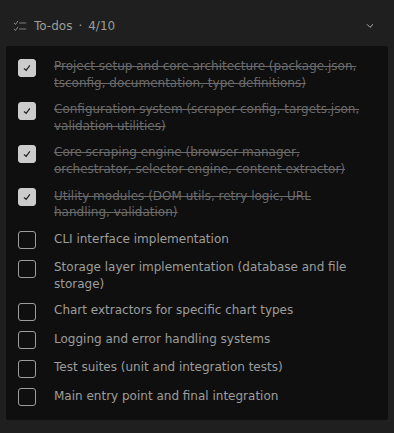
When Hull creates one
Hull starts a task list on its own when a request has several distinct steps, such as a feature that touches multiple files or a refactor followed by tests. It usually skips the list for small, single-step requests.
You can ask for one at any time: "make a task list before you start".
How it updates
Hull manages the list with the todowrite tool. Each update replaces the list with the current picture, so items move from pending to in progress to completed, and new steps appear as Hull discovers them. Only one item is normally in progress at a time.
You don't edit the list directly. To change the plan, tell Hull: "skip the migration step" or "add a step to update the docs".
Where you see it
The task list appears in the session as Hull works. In plan mode it shows what's done and what's next while Hull builds the plan.
Tips
- Large tasks benefit most. If Hull is doing a lot of steps without a list, ask it to make one.
- Pair it with Plan. Use the Plan agent to agree on the approach, then switch to Code to work through the list.
- Subagents don't keep lists. The built-in general subagent can't write task lists. The primary agent tracks the overall progress.